

AquaModel Features
Displays
♦ World Vector Shoreline (WVS)
♦ ArcShape files
Modeling Capabilities
♦ nitrogen
♦ phytoplankton
♦ zooplankton
♦ fecal
feed waste
fecal waste
oxygen
total carbon
♦ Sediment layer
feed waste
fecal waste
oxygen, hydrogen sulfide and carbon dioxide
aerobic and anaerobic biomass
♦ Surface and bottom flow velocities
♦ Fecal and feed waste streams
♦ Fish pen and waste stream properties
Analysis tools
Simulation
Import Tools
Export and Conversion Tools
Displays
- Coast line data from many sources, including
♦ World Vector Shoreline (WVS)
♦ ArcShape files
- Detailed bathymetry
- Satellite imagery (over 50 formats, including OpenDAP)
- Navigation charts
- Multimedia
- User-defined GIS shapes
- Profile plots (single or multi-trace, histograms, pie-charts, false color charts)
- Blob (bubble) plots
- Contours
- Current vectors
- Tidal ellipses
- Metadata
- Instant web deployment
- Google Maps
- Google Earth
Modeling Capabilities
- Ocean currents
- Constant or dynamically changing ambient conditions data
- Modeled dissolved materials
♦ nitrogen
♦ phytoplankton
♦ zooplankton
- Modeled fish farm waste materials
♦ fecal
- Modeled benthic materials
feed waste
fecal waste
oxygen
total carbon
♦ Sediment layer
feed waste
fecal waste
oxygen, hydrogen sulfide and carbon dioxide
aerobic and anaerobic biomass
- Multi-farm capability
- Multi-species capability
- Default characteristics of several commercially important species included
- Animated plan and profile displays
♦ Surface and bottom flow velocities
♦ Fecal and feed waste streams
♦ Fish pen and waste stream properties
Analysis tools
- Statistical analysis of imagery
- 3-D perspective charts
- Query measurement, bathymetry, and imagery
- Computed water volume within a user-specified region (e.g. bays)
- Built-in Analysis of Variance (ANOVA)
- Levenberg-Marquardt multi-dimensional surface search routine
- Kernel method 3-D density function calculation
- USGS 3-D earth magnetic model (intensity, declination, and magnitude)
- 3-D current drift model
- Fast Fourier transforms
- A variety of standard statistical functions
Simulation
- User-defined simulation times (start, end, direction, and step)
- Simulation capture and replay capability
- Animate satellite images and ArcShape files
- Animate blob plots, false color images, and profile plots of measurement data
- Play/step forward or backward or skip to specified simulation times (where compatible with simulation model)
Import Tools
- Database wizard imports ASCII, Excel, or database measurement data
- ASCII wizard imports ASCII geographic measurement data to false color raster images
- Batch importing of satellite imagery and aerial photographs
Export and Conversion Tools
- Export modeled properties to Excel for offline analysis
- Convert animated project data (graphic plan view and profile plots) to GoogleMaps or GoogleEarth
- Export animated displays to NetCDF image format files
- Export graphic displays to BMP, GIF, JPEG, PNG, or TIFF files
- Subset and convert imagery files to Excel or to NetCDF images
- Convert ArcShape data to Excel
- Integrated with "R" for interactive or off-line analysis of image or profile plot data

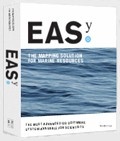
AquaModel - now a plug-in of EASy
Solutions